ADVERTISEMENT

Velocity Sensitivity on Digital Pianos: Play Expressively!

  • It is technically very complex to reproduce the continuously evolving dynamics of an acoustic piano using a digital piano’s electronic sound generation.
  • A crucial aspect of velocity sensitivity in digital pianos is the precise coordination between the keyboard action and the sound engine.
  • In instruction manuals, velocity sensitivity is often referred to as touch response or simply velocity.
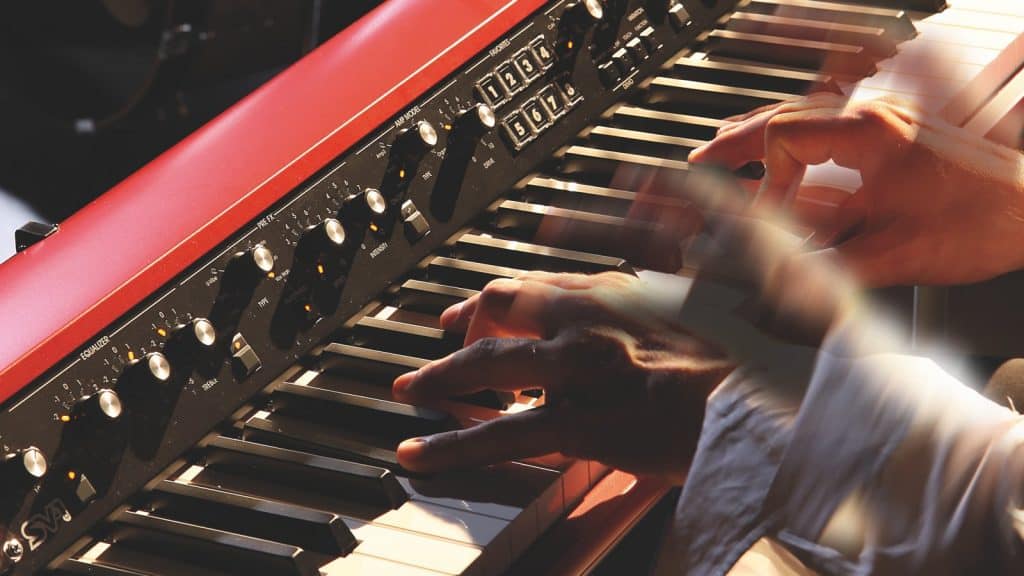
velocity-sensitivity-digital-piano-korg-sv-1
(Image Source: Korg)
ADVERTISEMENT

Playing with velocity sensitivity: Producing an evolving sound in response to dynamic keyboard input, something that is taken for granted on an acoustic piano, requires considerable technical effort on a digital piano. The explanation below details how this works and why you should pay close attention to velocity sensitivity when buying a digital piano, especially an older model.

ADVERTISEMENT
ADVERTISEMENT
The more accurately the continuous progression of velocity values is translated into sound development, the more authentic and natural the playing feel will be.

If you strike the keys lightly, the sound is soft and gentle. As you increase the playing velocity, the sound becomes louder, more powerful, and brighter. This principle has been inherent to keyboard instruments ever since the invention of the hammer action by the Italian instrument maker Bartolomeo Cristofori. However, consistently reproducing this continuous dynamic sound development with electronic sound generation requires considerable technical effort. This is precisely where you should take a closer look when buying a digital piano.

Velocity: Touch and Playing Behavior

The sensitivity, nuance, and expressiveness with which you can play an electronically generated sound on a keyboard depend on the resolution of the key-sensor system and various aspects of the sound engine’s underlying features. In principle, the MIDI standard defines a resolution of 128 velocity steps. This limitation also applies when a digital piano transmits touch dynamics to external instruments via MIDI.

However, internally, digital pianos typically process velocity data at a much higher resolution. Sensor systems that measure key velocity operate with finer gradations than the 128 steps defined by MIDI, although manufacturers rarely publish detailed specifications. While some pianists may theoretically find a 128-step resolution insufficient, in practice most players will hardly notice any limitations as long as the digital piano’s touch response is well implemented.

If you experience problems with dynamic control while playing, this is usually due to one or more of the following factors:

  1. The internal dynamic resolution of the sound engine is too low.
  2. The velocity scaling from the keyboard to the sound engine is not optimally implemented.
  3. In the worst case, a combination of both issues.

Such limitations are most commonly found in older digital or stage pianos and, in some cases, in low-budget instruments. Current brand-name models generally employ the latest technology.

Keyboard and Sound Engine

What matters most in a digital piano is how well the keyboard action and the sound engine are coordinated. The more accurately the continuous progression of velocity values is translated into sound development, the more authentic and natural the playing feel will be. Velocity scaling plays a key role here. It can be adapted to individual playing styles using touch curves (also called velocity or dynamic curves). However, on a well-designed digital piano, the default touch curve selected at power-on should already provide a balanced, musically convincing response.

Adjusting the Velocity Sensitivity of Your Digital Piano

This is one of the major advantages of digital pianos, especially for beginners: Digital pianos allow you to adjust how much force is required to play forte or even fortissimo comfortably. This is done by modifying the instrument’s velocity sensitivity using dynamic curves (also known as touch curves or velocity curves).

Velocity Sensitivity: What Should You Look For?

Velocity sensitivity is not the only factor to consider, but it is a strong indicator of the overall quality of a digital piano’s keyboard and sound engine. Good velocity sensitivity should always be clearly perceptible and convey a natural playing feel—an abstract concept, especially for beginners who are just learning to play the piano. You can assess this by paying attention to the following characteristics:

  1. In pianissimo, i.e., when playing very softly, you should hear fine dynamic resolution. In forte, on the other hand, you should have to put forth a certain amount of physical effort to produce a powerful, bright sound.
  2. The dynamic response should remain smooth and continuous across the entire velocity range. A digital piano’s velocity sensitivity should never produce sudden or unexpected jumps in dynamics. If this happens, the issue usually lies not with the keyboard itself, but with the sound engine.
  3. This aspect is particularly important when buying an older used digital piano or a low-budget instrument. Digital pianos whose piano sounds rely on only a few dynamic layers may produce abrupt transitions, often referred to as velocity switching or stepped dynamics. This is not only distracting for advanced players; inconsistent dynamic resolution is also undesirable for beginners who are developing proper playing technique.

Velocity Sensitivity on Digital Pianos: Useful Links

Can You Develop a Good Touch on a Digital Piano?

Piano World: Levels of sensitivity

ADVERTISEMENT

Related Articles

26.10.2026 · Buy Gifts for Musicians: Is a Piano the Only Option?

It doesn't have to be a grand piano—there are plenty of small and inexpensive gifts for musicians to choose from.

20.09.2025 · Buy Yamaha CLP-800 Series – Reviewing Clavinova Digital Pianos

In fall 2024, Yamaha announced the new CLP-800 series. The key refinements concern the sound generation and playback systems.

01.09.2025 · Buy Buyer’s Guide: A Portable Piano Under $2,000

With a scaled-down cabinet and speaker system, a portable piano under $2,000 offers a great keyboard and sound engine.

20.02.2025 · Buy Studiologic SL-mk2 Series – USB MIDI Controllers

The Italian manufacturer has introduced the new models of the Studiologic SL-mk2 series with new features and improved details.

20.02.2025 · Buy Speakers and Piano Sound: How Good Can Digital Pianos Really Sound?

Speakers and piano sound — does your digital piano sound better when you're using headphones? Find out why here.

13.02.2025 · Buy Kawai CN Series: CN-201 & CN-301

With their high-quality playability, the digital pianos in the Kawai CN series inspire both demanding beginners and advanced players.

09.02.2025 · Buy Product Review: Yamaha TransAcoustic Piano - Hybrid Piano

Piano or digital piano? The Yamaha TransAcoustic piano offers the best of both worlds. The perfect blend of acoustic and digital piano.

08.02.2025 · Buy Almost as Good as the Real Thing: Playing a Hybrid Digital Piano

Acoustic soundboard, grand piano action, and wooden keys: A hybrid digital piano combines maximum playing comfort with high-quality sound.

07.02.2025 · Buy Play Piano with Headphones: Hybrid Piano!

Play the piano with headphones - a hybrid piano combines an acoustic piano with a mute function and an electronic sound generation.

15.01.2025 · Buy Best Headphones for Digital Piano: Sound That Inspires

Buying high-quality headphones for digital piano: Why invest in good digital piano headphones and how much do they cost?

13.01.2025 · Buy Kawai ES Series: ES-920, ES520, ES-120, ES-60 – Portable Pianos

The Kawai ES Series is popular with beginners and advanced players alike: High-quality features at prices ranging from $400 to $1,200.

22.12.2024 · Buy Wireless MIDI: Play Piano or Keyboard Without Cables

Wireless MIDI systems are useful when the instruments themselves are not Bluetooth-compatible. But what makes a good Wireless MIDI adapter?