ADVERTISEMENT

Stage Setup: Great Stage Piano Sound for Live Performances

  • No matter how big or small your stage setup is, you need it to work reliably.
  • A live performance with a stage piano doesn’t require a great deal of effort, but it should always be well prepared.
  • This workshop will teach you how to properly assemble and use a stage setup.
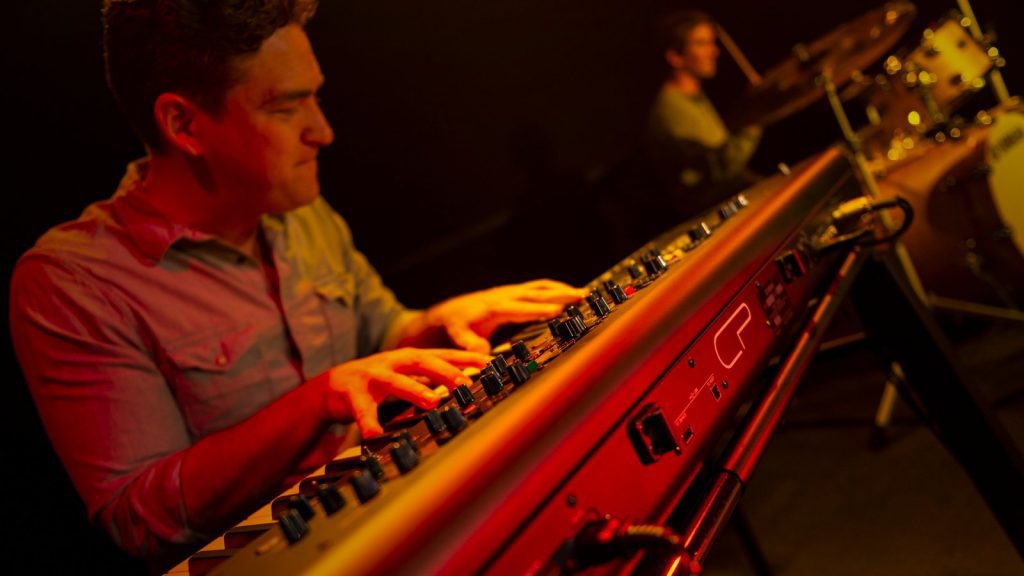
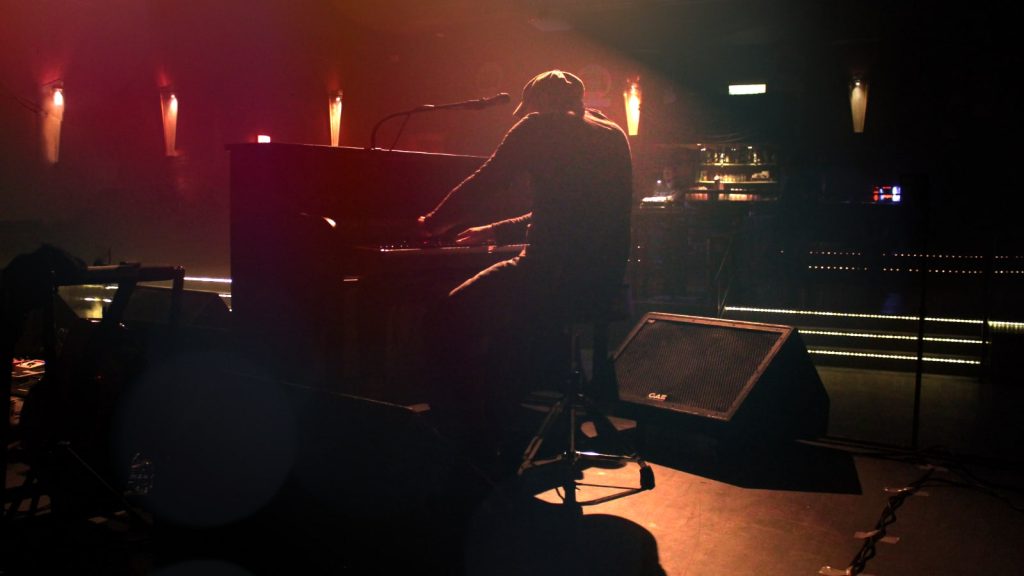
Stage setup: Live performance with a stage piano. (Photo: J. Sunderkötter)
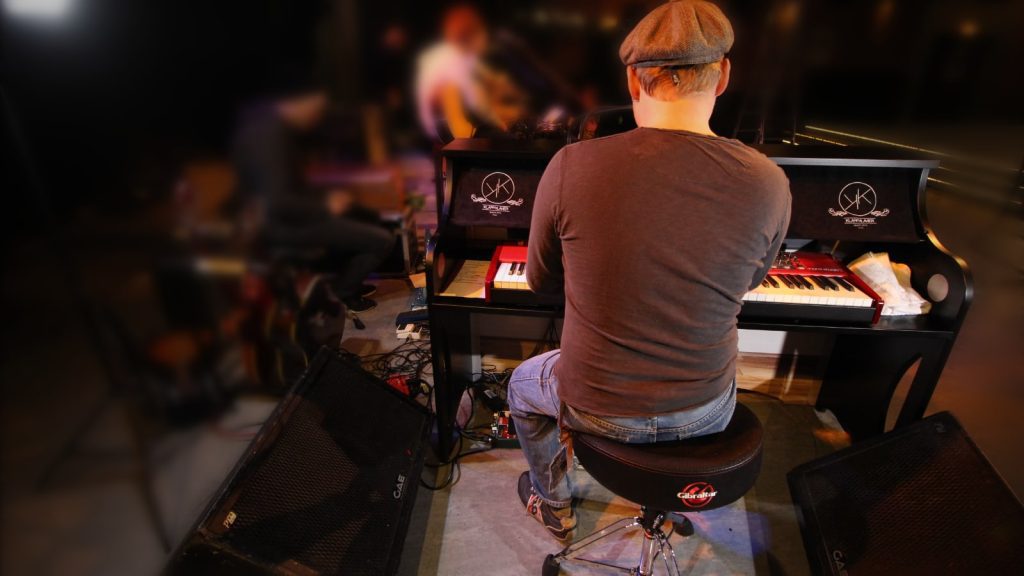
(Photo: J. Sunderkötter)
ADVERTISEMENT

Live performances! Whether alone with a stage piano or with a band, there’s nothing like hitting the keys in front of an audience. And with the right setup and excellent stage sound, it’s the perfect experience. If you’re new to all of this, this workshop will give you the practical and technical tips you need to start playing live.

ADVERTISEMENT
ADVERTISEMENT

A full house, the stage softly lit, everything ready. Here comes the countdown, and the show begins! Mastering a live performance is a dream come true – that is, if everything goes smoothly on stage. If all you’ve ever done is practice on your digital piano at home, this situation can be a little confusing at first.

Playing in an unfamiliar environment is not only difficult for beginners, but it’s also clear that the familiar consumer level of a portable piano’s built-in speakers won’t get you anywhere when it comes to performing in concert! Here’s how to prepare for live performances.

Equipment Isn’t Everything

Nonetheless, it helps💪🏼 Gear doesn’t take away the unsettling feeling of breaking new ground as easily as an annoying hum on stage. After all, it takes experience and patience to get it right. Thus, tip #1: Use high-quality gear! This not only saves you time and money but also ensures a safer playing experience.

This is what a well-functioning stage setup with a stage piano is all about:

  • Quick setup: The stage setup should be fast and reliable to set up. This allows you to focus on more important aspects during the performance.
  • Stable & lightweight: Reliable stands, and cables without loose contacts – a solid stage setup ensures a safe playing experience. In addition, it should be easy to transport.
  • Good stage sound: The most important thing is to find a “feel-good” volume that fits the context of the band. How can you perform well if you cannot hear yourself and others properly?
Stage Piano for less than $2000: Yamaha CP73

On Stage with the Stage Piano

It doesn’t take much: A sturdy keyboard stand, a monitor box and cables, a piano bench, and you’re ready to go. You’ll be just fine with a mini setup like this. In fact, the speaker system on your portable piano may be all you need for an unplugged session, so a monitor speaker may not even be necessary. Still, it could get a little louder during the session.

Rehearsing unplugged or with a full set? A small club gig or a big festival stage? The question of what and how ultimately depends on the situation and location: How loud is loud enough and what do you need?

What A Stage Setup Consists Of

Whether it’s just a stage piano or an elaborate keyboard rig, a stage setup can be broken down into these components:

Instruments/sound generators: Stage piano, stage keyboard, MIDI keyboard, synthesizer, organ, drum computer, groove boxes, tablet, computer.
Mix & monitor: Mixing console, monitor speakers, PA, vocal system, headphones, in-ears.
Accessories I (Hardware): Stands, Racks, Tables – things to put the instruments on.
Accessories II (Small items): Stools, bags, stand extensions for tablets, smartphones, and monitors. Also pedals, cables, adapters, power supplies, gaffer tape, etc.

How Loud Is Loud Enough?

The answer is simple: so that everyone can hear you – this includes both the audience and yourself. It may sound like a cliché, but you’ll change your mind the first time you try to compete with drums, guitars, and bass over your piano’s built-in speakers. Because it will be hard to break through the wall of sound created by the drums and guitar amps, you will probably give up after a short time. There are two typical scenarios – both unsatisfactory:

  1. You probably can’t even hear yourself, or
  2. You can hear your stage piano, but no one else can hear you.

Safety First!

Before we get into turning up the volume on the stage piano, we need to talk about hearing protection. It is – yes – boring, but extremely important. Hearing damage is usually irreparable.

Acoustic drums, guitar stacks, bass amps, and monitor speakers produce high sound pressure levels that can damage your hearing. This is especially true in rehearsal rooms or on small stages where it is difficult to avoid being close to the sound sources.

Whether you’re rehearsing or performing, you may not notice the effects of excessive volume until it’s too late. After all, it’s a great sensation to really feel the volume in your whole body when playing.

Of course, it’s okay to get loud sometimes – but follow these two tips to protect your hearing.

  1. Never set up amps or speakers so that the sound waves hit your ears directly at a 90° angle. Also, be aware of the powerful sound of closed-back monitor headphones!
  2. Use hearing protection!

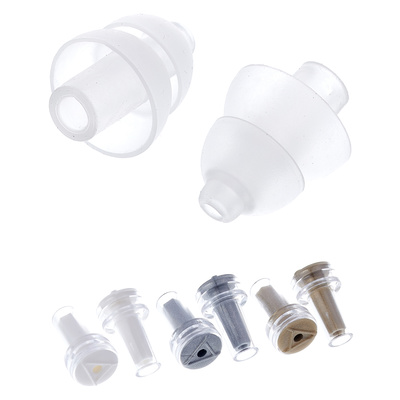
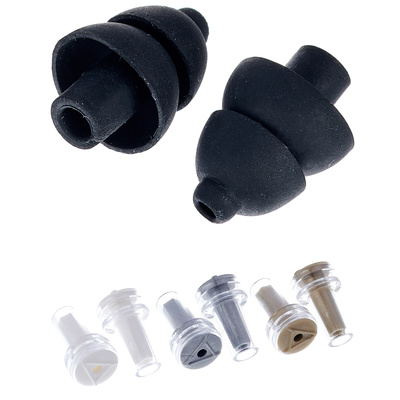
If hearing protection makes you think of those old plastic plugs you put in your ear canal, they’re better than nothing but far from ideal. Our recommendation: Alpine MusicSafe Pro. They fit comfortably and allow a linearly attenuated frequency mix to reach your eardrum. This allows you to still hear the balanced sound but at a comfortable, non-damaging level. You can even insert a variety of filter to adjust the level of attenuation.

Affiliate Links
Alpine MusicSafe Pro Transparent
Customer rating:
(397)
Alpine MusicSafe Pro Black
Customer rating:
(1536)

More Volume Demands More Amplification

If you want to wow your audience with your performance, your stage piano and keyboard sounds need to come through – especially if you play in a band. You can buy your own monitoring system (keyboard amp, mini PA, etc.) or connect your stage piano to the PA system if there is one. Of course, a combination will also work. In this case, you may be able to keep your stage setup smaller.

Playing a bigger venue with a big PA? Great: The FOH (front-of-house mixer) will make sure your performance comes across well. But there are some rules of thumb you should know.

Basically, think about how you want to perform on stage and what kind of stage sound you want. Don’t leave monitor sound to chance.

Great Monitor Sound!

This has a lot to do with the size of the monitor speakers. If it’s just a stage sound, a keyboard amp might work fine. Suitable for a jam session in a small live club, because what the band sounds like on stage is what the audience hears. If the audience area is covered by a PA, small monitors will work better than large, bass-heavy speakers.

Full stereo sound: While monitor wedges (floor monitors) provide less direct sound, they offer two significant advantages: they blend seamlessly into the stage setup and avoid direct exposure to the ears. (Photo: J. Sunderkötter)

Stage Piano and Keyboard Monitoring

When it comes to stage sound, there are two important characteristics to consider:

  1. Stereo vs. Mono

For excellent stage sound, it’s best to have your own monitoring system, preferably stereo. While modern digital keyboards are typically stereo, many basic amplifiers and monitor systems are often mono. A monitor in mono is better than no monitor at all, but stereo sound reduced to mono just sounds weird. Acoustic piano sounds from a stage piano usually have phase cancellation when you listen to both stereo halves as a mono mix. It sounds very tinny and lacks punch. You will also notice this if you use only one of the stereo outputs – still, an okay solution if there is no other spontaneous option.

  1. Frequency Spectrum

Not only the FOH staff but also the bass players will be grateful if you don’t cause any disturbances in the bass range. A digital piano (or even a synthesizer) can produce a wide range of frequencies with deep bass. Above all, you should consciously keep the bass under control, because you can cause a lot of mischief with it.

Not only in terms of playing technique but also in terms of stage sound, you should be very aware of the low frequencies: For monitoring on stage, speakers with smaller woofers are generally recommended. Large speakers with 15″ drivers are not an advantage – for keyboards and stage pianos, 10″ or 12″ speakers are fine.

Monitor speakers with EQ are a good idea. This allows you to cut the bass without affecting the overall mix through the line outputs. Even mini monitors mounted on keyboard or microphone stands can be a practical solution.

Suitable Monitor Speakers

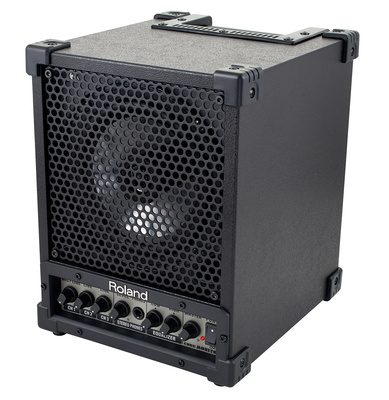
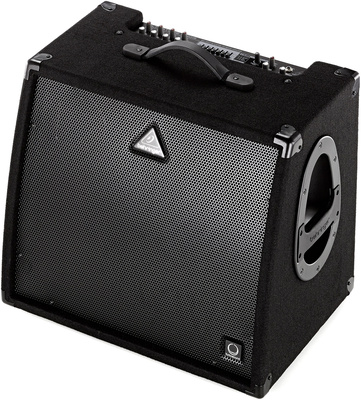
Keyboard Amplifier: A combo amp is very convenient, but not always the right choice. For electric guitars, an amp is the sound-shaping element – distortion is desirable. A keyboard amp is completely different, as it should not distort at all, and instead transmit the sounds as clearly as possible. Important: The keyboard combo amp should work in stereo and have a stereo line out to send the signal to the FOH and monitor mix.

→ Learn more: Connecting a Stage Piano to a Keyboard Amp.

Affiliate Links
Roland CM-30 Cube Monitor
Customer rating:
(228)
Behringer KXD15 Ultratone
Customer rating:
(78)

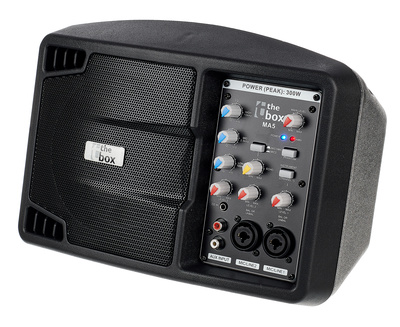
Active Full-Range Monitor: These small monitor speakers are comfortable and flexible. Sure, they won’t fill a room with sound. But as a personal monitor mounted on a microphone stand, you can take your sound with you wherever you go. Tip: It’s best to use a double pack mounted on a distance rod as a stereo monitor. The little 5″ speakers don’t give you enough bass? More power to you. You won’t miss a thing, especially if the bass is already coming through the PA.

Affiliate Links
the box MA5
the box MA5
Customer rating:
(174)

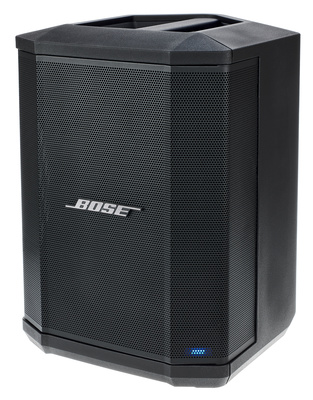
The Bose S1 Pro system is a popular full-range active monitor. This convenient monitor offers flexible placement options (even as a floor monitor) as well as Bluetooth and battery operation.

Affiliate Links
Bose S1 Pro System
Bose S1 Pro System
Customer rating:
(680)

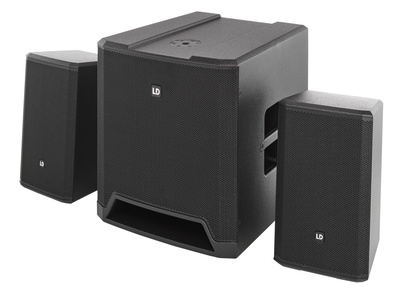
Mini PA System: A smart solution because it saves space and is easy to transport. Mini PAs typically consist of a subwoofer and two satellite speakers. Depending on the size of the system, you can also use it to provide sound to the audience or for rehearsals. For this, you can adjust the height and directivity of the satellite speakers.

Affiliate Links
LD Systems Dave 15 G4X
Customer rating:
(12)

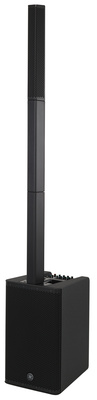
Personal monitor systems like the brand-new Yamaha Stagepas 1K MK2 are very clever. You can use them in a stage setup, but you can also combine several units to create a powerful mini-PA.

Affiliate Links
Yamaha Stagepas 1K MK2
Customer rating:
(14)

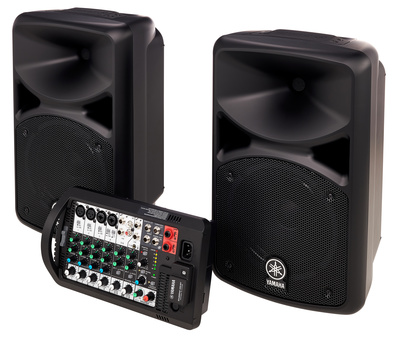
Compact Systems: These usually consist of a mixer with a built-in power amplifier and two full-range speakers. Some systems can even be clipped together for transport. Additionally, you can use stands to set up and align the speakers. All in all, pretty handy.

Affiliate Links
Yamaha Stagepas 400BT
Customer rating:
(94)

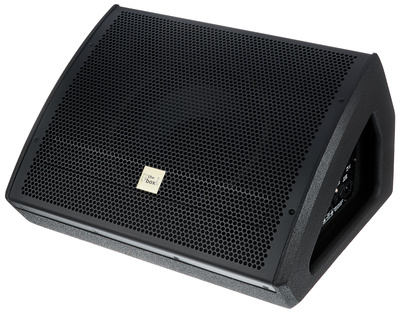
Wedges (Floor Monitors): These are the typical stage monitors used at an angle on the stage floor. It takes some getting used to hearing the sound from this position, but it is definitely practical. If you have room to place two wedges to your left and right, you will be right in the middle of the sound. While great for hearing your own sound, this can also mean that you cannot hear the rest of the band. For more flexibility, try wedges that you can mount on a stand.

Affiliate Links
the box pro Mon A10
the box pro Mon A10
Customer rating:
(174)

Is In-Ear Monitoring Too Expensive?

In-ear monitoring is a smart solution, but it is complex and a bit more expensive than traditional monitors. Of course, in-ear monitoring only makes sense if everyone in the band is using it. In this respect, it is a purchase for the entire band and only makes sense if a large PA is otherwise used to amplify the sound.

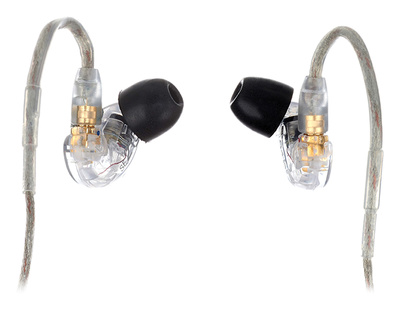
Except for custom-made in-ears, in-ear monitoring as a band is actually affordable. After all, you can also buy headphones off the shelf – one recommendation is the Shure SE215-CL for just over 100 Euros. These headphones offer excellent sound quality and isolation.

Affiliate Links
Shure SE215 Pro CL
Shure SE215 Pro CL
Customer rating:
(3004)

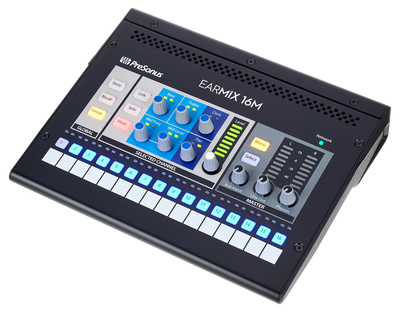
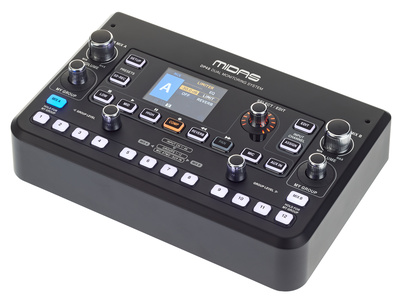
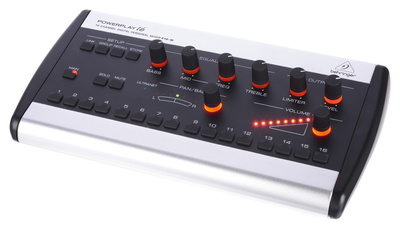
In-ear monitoring can be a real asset even in smaller lineups. This requires a monitor mixer or a personal monitoring system with a mix matrix. Again, more affordable options are also available: Digital consoles from Presonus or Behringer allow you to connect a personal monitor mixer via a digital audio network. Such a “personal” mixer is handy because it allows each band member to create and save their own monitor mixes. In turn, this lets you create special mix constellations, which is especially important for bands with changing lineups.

Affiliate Links
Presonus EarMix 16M
Presonus EarMix 16M
Customer rating:
(12)
Midas DP48
Midas DP48
Customer rating:
(29)
Behringer Powerplay P16-M Personal Mixer
Customer rating:
(334)

A Solid Setup Is Key

Choosing the right keyboard stand can make all the difference. Sure, an ironing board would do in a pinch. But of course, avoid it if you can – the same goes for cheap X-stands! Wobbly stands are not good on stage, as the stage itself often becomes wobbly when the drummer hits the bass drum.

Find tips on suitable keyboard stands in the PIANOO.com guide “Digital Piano Stands“.

The More Equipment, the More Work!

Less is more! Keep your stage setup simple! The more you have to set up and wire before a gig, the more time it takes. This only causes stress during the short setup break at a festival, for example. Here are a few tips:

Size of the stage setup: The fewer pieces, the better: Instrument, keyboard stand, power supplies, sustain pedal, cables, piano bench, monitor system… Even with just a stage piano, the amount of equipment can add up quickly.

Venue technology: Where are the outlets? Or put another way: Do you need an extension cord? Is there a fixed PA? It helps to know these things in advance – the more prepared you are, the less you have to improvise on the fly.

Transportation: Do you have everything with you, is everything packed? To be on the safe side, make a small checklist when preparing your stage setup for transport to the gig.

Cases and bags: Carrying cases are a great way to keep everything safe. You may also want a separate case for the cables and mixer. For more tips, see our “Stage Piano Cases” guide.

Plan for replacements: It’s rare, but it happens – equipment breaks down from time to time. And unfortunately, it’s also possible to forget something. Be prepared by packing an extra instrument cable or two and a universal power supply.

Practical Tips

The first performance can be quite challenging for beginners. You may already be nervous, and now there are so many uncertainties. Here are some tips:

How to Get the Perfect Stage Sound

You won’t 🤗 It will never be perfect and instead will always be a compromise. Therefore, it’s best to experiment with where and how you place your monitor speakers. Sometimes you’ll need to reorient or relocate the speakers, sometimes it’s just a matter of adjusting the volume. After all, your physical space is the only limit. The goal is for you to enjoy the band’s sound as much as your own.

Keep It Simple!

The more elaborate your stage setup, the more attention you need to pay to the technical side of your artistry. Fascinating technology is great, but music and your performance should always be the focus. Anything that distracts you from that is either superfluous or something you haven’t dealt with properly, so…

Master Your Equipment!

This includes instrument settings – a good example is the details of acoustic piano sounds: While background noise and effects such as string resonance or damper noise are desirable in a recording studio or when playing through headphones, they quickly become distracting when playing through a PA.

In this case, you should be able to quickly eliminate these sound components (if you haven’t already done so in your patches). Nord Piano or Nord Stage are an exception, as their control panel allows you to do this easily.

Sound Check Discipline!

Once your stage is set up, make sure everything is plugged in and working. Don’t spend all your time fiddling around! Save your energy and enthusiasm for the gig and focus on when the FOH or monitor mixer asks you to soundcheck. Then play a few chords at maximum volume, preferably a part that is realistically the loudest in your repertoire.

Respect the FOH!

As long as the person at the mixer trusts that you manage your volume and stage setup well, you will always be heard clearly in the live mix on the PA. Try to maintain two volume levels whenever possible: Accompaniment (subdued, but present) and Solo – while you can crank it up here, never exceed the maximum volume from the sound check. You risk overdriving the input sensitivity, causing distortion. As a result, FOH will reduce your channel’s gain, often leaving it at that lower level.

Controlling the Volume

Once you’ve reached the maximum gain setting on the mixer, adjust the volume on your stage piano to a ‘moderate accompaniment’ level (50-70%). Keep in mind: Only turn the volume up (and down) for your solo.

Avoid volume jumps between different sounds, e.g. when switching between different patches within a song! High-quality stage pianos provide programming functions to adjust all volume levels, including those for MIDI zones.

Know Your Sounds!

A large selection of sounds is not that important. Instead, what matters is that you know your sounds and can play them with confidence. The clearer and more concrete your sounds are, the better you will be able to fit into the overall sound of the band!

Delicate layers of subtle nuances and modulations become a diffuse hodgepodge of sound over the PA. Anything that can’t be clearly assigned will interfere with the FOH mix and, when in doubt, be turned down. If you have more complex sounds for an intro, for example, it’s best to discuss this with FOH in advance.

Pay Attention to Frequency Ranges

Focus on the “function” of a sound: A piano accompaniment doesn’t need to compete with the bass in the low frequencies; instead, it should be prominent in the midrange to ensure it cuts through the mix. As a duo or solo performer with piano and vocals, you have greater creative freedom.

Nonetheless, always remember that you are accompanying the vocals with the piano! When creating your own sounds, avoid complex layers of sound. What sounds good on headphones or studio monitors at home won’t necessarily sound good on a PA or keyboard amp. Again, this takes experience, so it’s best to ask your FOH if they have any tips for you.

FAQ – Stage Setup & Monitor Sound

When Is a Mixer Needed?

A mixer is used at (almost) every event. Typically, you’ll need more than one mixer. For instance, while the front-of-house (FOH) mixer handles the main mix, a separate mixer may be used for the on-stage monitor mix, unless the FOH mixer manages both. You can also use a mixer in the stage setup to create a submix, which allows you to route your pre-mixed stereo sound and makes the front-of-house (FOH) engineer’s job easier. (After all, how is the FOH guy at a festival supposed to know which synth your pad or lead sound is coming from?)

A simple line mixer would suffice as a stage piano and keyboard mixer. However, a mixer that also offers XLR inputs with switchable phantom power is more flexible, allowing you to connect one or more microphones as needed. For even more flexibility, a mixer with a built-in USB interface makes it easy to integrate a music computer into the stage setup.

Active or Passive Monitors?

Active speakers are a smart choice because their internal amplifiers are perfectly matched to the speakers. Alternatively, a power mixer plus passive speakers is a great solution, but this is a matter of taste.

Keep in mind that active speakers require two cables: An instrument cable plus a power supply. Passive speakers, on the other hand, require only a single speaker cable. Connected with rugged Speakon connectors, this is a safe and reliable solution.

Lighting Technology for Stage Setup?

First of all, it’s not about the light show, it’s about your instruments. You should be able to see them easily, even when the light show plunges the stage into darkness, which usually happens right after a song ends. While you are setting up your sounds for the next song, and maybe even preparing sheet music, it may be completely dark. A small LED spotlight will bring some light into the situation, and a small flashlight should be part of every stage setup anyway. When it’s time to fade into the next song, you’ll be ready to start the intro.

How to Connect a Stage Piano to a Tablet or Smartphone

Mobile apps such as e-Instruments Pure Piano, Korg Gadget, or Module Pro turn your iPad or iPhone into a powerful sound module. A great addition to portable pianos. The simplest way to connect an external playback device is to use a digital piano with USB audio/MIDI capability. In this setup, the audio signal from the mobile device is transmitted directly to the stage piano’s audio system via USB, streamlining cabling on stage.

→ You can find an overview of stage pianos with USB audio/MIDI capability on our landing page at Thomann.

A USB audio interface is generally recommended when using an iPad or iPhone as a live sound module. When wiring mixing consoles, PAs, and monitor speakers, you will find that jack, XLR, or combo jack inputs and outputs are simply more reliable than a mini-jack adapter. For iOS devices that do not have an analog audio output, we generally recommend using an audio interface.

*Affiliate link. These “advertising links” help us finance our website. If you purchase a product through one of these links, we receive a small commission at no additional cost to you. The PIANOO.com team thanks you for your support!

ADVERTISEMENT

Related Articles

20.09.2025 · Buy Yamaha CLP-800 Series – Reviewing Clavinova Digital Pianos

Digital never felt so GRAND! The new Yamaha CLP-800 series was unveiled with great fanfare in fall 2024. We can't wait to see how much closer its sound and playing experience come to the acoustic ...

01.09.2025 · Buy Buyer’s Guide: A Portable Piano Under $2,000

A portable piano priced under $2,000 (£1,600/€2,000) is typically a high-quality digital instrument. While manufacturers often cut corners on the case and speaker system to increase portability, this allows for improved quality in key areas ...

20.02.2025 · Buy Studiologic SL-mk2 Series – USB MIDI Controllers

The MIDI controllers of the SL series are popular not only for their affordability, but above all for their flexibility, intuitive design, high-quality keyboards, and robust construction. At NAMM 2025, the Italian manufacturer unveiled the ...

20.02.2025 · Buy Speakers and Piano Sound: How Good Can Digital Pianos Really Sound?

Speakers and piano sound—two things that don't necessarily go together. After all, an acoustic piano produces sound naturally, without the need for speakers. Replicating the complex interplay of action, strings, and soundboard electronically is a ...

13.02.2025 · Buy Kawai CN Series: CN-201 & CN-301

The Kawai CN series of digital pianos could be considered the Japanese manufacturer's entry-level line. However, the CN models also meet the needs of advanced players with their high-quality feel and authentic piano sound - ...

09.02.2025 · Buy Product Review: Yamaha TransAcoustic Piano - Hybrid Piano

Acoustic or digital piano? With a Yamaha TransAcoustic Piano, you don't have to choose! This special hybrid piano technology combines the best of both worlds. Volume control on an acoustic piano - normally reserved for ...

08.02.2025 · Buy Almost as Good as the Real Thing: Playing a Hybrid Digital Piano

Digital pianos with acoustic soundboard, grand piano action, and wooden keys: A hybrid digital piano promises maximum playing comfort by combining a digital sound generation with acoustic piano features. Often, an elaborate casing with high-gloss ...

07.02.2025 · Buy Play Piano with Headphones: Hybrid Piano!

Want to play the piano in an apartment without disturbing the neighbors? A hybrid piano lets you do just that. While a mechanism mutes the acoustic part, you can play the piano with headphones, just ...

15.01.2025 · Buy Best Headphones for Digital Piano: Sound That Inspires

In principle, most headphones are suitable for use with digital pianos. Accordingly, there are no headphones that are explicitly labeled as "headphones for digital pianos". However, you should be aware of some technical subtleties, as ...

13.01.2025 · Buy Kawai ES Series: ES-920, ES520, ES-120, ES-60 – Portable Pianos

Kawai's ES Series portable pianos are popular with both beginners and advanced players, offering high-quality features in the $400–$1,200 price range. Key improvements over previous ES models include a significantly lighter weight, bass reflex speakers, ...

22.12.2024 · Buy Wireless MIDI: Play Piano or Keyboard Without Cables

Wireless MIDI - just a few years ago, this wireless connection between musical instruments was as rare as it was expensive. Thanks to the growing popularity of Bluetooth as a means of communication, reasonably priced ...

20.12.2024 · Buy Studiologic SL Series: SL73/88 Studio, SL88 Grand, SL|Mixface

Studiologic is a brand of the Italian keyboard manufacturer Fatar, so it's no surprise that Studiologic instruments feature Fatar keyboards. The SL series is an excellent choice for anyone looking for a robust MIDI controller ...